

Over the years I’ve tried many ways to prevent my time from being lost in the digital space, including a past New Year’s Resolution: A Year Without Social Media. While I highly recommend ditching social media completely, sometimes, it’s not practical. If you’re an artist, maker or small business owner you may need to promote yourself online. And then there’s the fact that it isn’t always social media that we get lost in. Sometimes it’s reading the news, web browsing or chatting with AI. This year, I asked: how can I keep from falling into my devices, from looking up an hour later from a 5 minute task?
Limit Internet and App Access
Remove web access. Iphone doesn’t allow us to delete Safari, but we can disable access. I find that the difficulty of figuring out where in settings I need to go to enable Safari is enough to keep it off my phone. With some actions, my fingers seem to have a muscle memory, but this is not one of them. The phone also allows the app to be re-enabled with a code. This possibility allows for more levels of self security.
Disabling Safari worked great until I went back to school. I needed web access sometimes while on campus. So I used the iPhone time limits options. By default, the apps that I waste the most time on have reached their time limit. I have to select “Ask For More Time” and enter my password to ask for more time. It’s annoying enough that it keeps me from wanting to browse the internet more than necessary.
I also keep time wasting apps off my phone completely, or try to delete them when not in use. I use Facebooks to access a couple of groups. I do not keep the app or messenger on my phone. I only access these at the computer. When I’m really good, I use my bookmarks tab to access the group links specifically. This helps me to not fall into doomscrolling whatever the algorithm tries to give me on my personal feed. I also delete Instagram from the phone between posts.
Establish Set Times for Digital Activities
This year, my New Year’s Resolution is simply to follow set times for specific digital activities. My email times are from 9-10am and 5-6pm. My social media and other app time is from 12-1. Then I thought, what if I could take it further, and ensure that I don’t lose track of time when I’m spending my focused hour?
Use a Timer to Encourage Focus on a Specific Task
Setting a timer before doing a task is a way to set an intention, to be deliberate about how we will spend the next 5, 15, or 45 minutes.
My first thought, and the simplest, is to keep an egg timer with me at all times. But, it isn’t practical for me. Maybe it will work for you.
I thought, surely my computer has a timer function. But, it doesn’t. I’m a luddite with an old OS, and so my clock doesn’t have bells and whistles. I decided to create my own application. This allows the timer to feel more like a gentle focus tool, rather than a countdown. My Task Timer has time selections buttons. It also has an optional place to write my intended task. I just typed “update blog” and set the timer for 5 minutes.

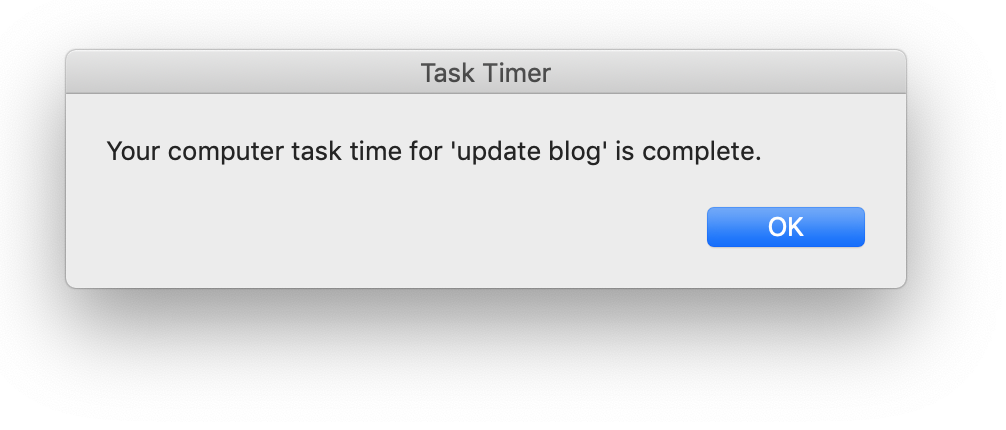
When the set time ends, this pop lets me know my task time is complete. Now I can start a new task or select “My computer time is complete” which is just there to remind me to rejoin the physical world. The timer app still stays open for next time.
If you have a Mac, you can use my Task Timer too. I offer it free the first couple of weeks of the new year to help you keep your resolutions on track.
I also created a Task Timer with Log for anyone who needs to keep track of their time, like for invoicing.